Swift · multi-model pipeline
let pipeline =
step → step → model
pipeline → result

agentflow kit
AFKit
Build the agent. A Swift SDK for pipelines that run natively on the device.
Jump to AFKit ↓


tools / engineering

Run native agents on your device. Build them in Swift, give them a model made for your product, and ship them on Apple silicon with nothing sent to a server.
AFKit · AFStudio · optimized kernels
Swift · multi-model pipeline
let pipeline =
step → step → model
pipeline → result
agentflow kit
Build the agent. A Swift SDK for pipelines that run natively on the device.
Jump to AFKit ↓One use case. A model of your own.
agentflow studio
Give it a model. From a described use case to a Swift package.
Jump to AFStudio ↓

agentflow kit
A Swift SDK for multi-step, multi-model agents that run on the device, alongside Apple's frameworks.
Shortest working example about six lines of Swift, tested on every release
A pipeline, end to end.
Chain steps and models into one object.
FEATURE
[Chain models and steps, including models that are not language models.]
Draw the flow. Export to Swift.
Connect
Export
FEATURE
[Draw a flow without code, then export it to Swift.]
Every step has a cost.
— ms
01
02
03
04
05

Illustrative · measurements pending
CHART
[Latency for each step of a pipeline, on a named device.]
On device · AFKit
— mW
Cloud call
— mW
Same task. Same device.
Values pending
CHART
[Power and memory for one agent run, against the same job done by a cloud call.]
Build it in Swift. Keep it on the device.

agentflow studio
Describe a use case and leave with a product-specific model as a Swift package.
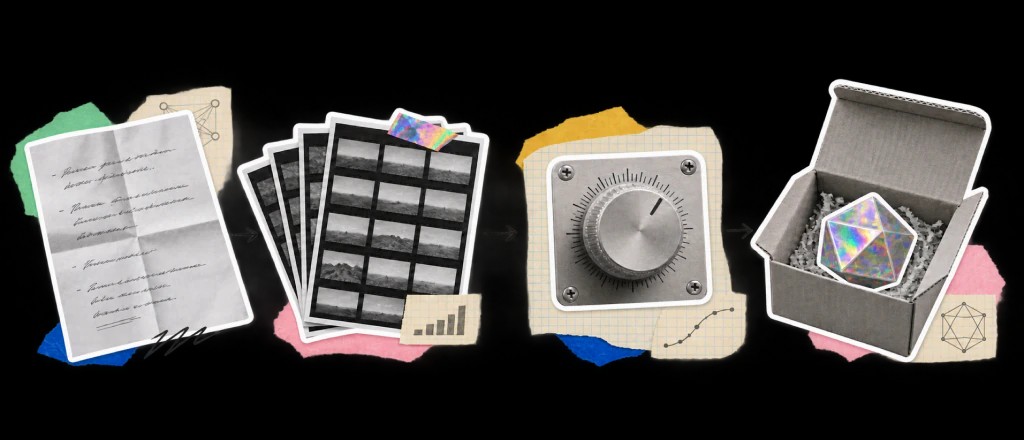
01
Say what the feature should do, in plain words.
02
Start from one of our base models.
03
AFStudio creates a dataset for the job.
04
The base becomes a model for your product.
05
A Swift package, with its budget sheet.
SWIFT PACKAGE
01
Describe the use case
What should the feature do?
Write it in plain words.
02
Generate examples
Inputs and expected outputs
A dataset for the job
03
Review the dataset
Examples matched to the use case
Ready for the fine-tuning step
AFStudio · workflow illustration
03 / Generate
A dataset built for the job.

01 Describe

02 Select

03 Generate
04 Fine-tune
05 Export
Describe → Select → Generate → Fine-tune → Export

underneath
The custom compute kernels every model and agent runs on, written for Apple silicon.
— mW
POWER
[task] on [device]
[One or two lines on what optimizing a kernel changes: the same model, less power.]
Read the researchTHE KERNELS
[What it computes, and which models use it.]
[Neural Engine]
[What it computes, and which models use it.]
[GPU]
[What it computes, and which models use it.]
[Neural Engine]
[What it computes, and which models use it.]
[CPU]

writing / engineering

featured / engineering
[One or two sentences on what the piece shows and the number it ends on.]
A tighter budget, a harder device, or the design around the model: bring us one feature.
Talk to us